Axis
An academic command center that consolidates course materials, assignments, and priorities into a single interface — designed to eliminate the context-switching tax students pay every day.
Role
Product Designer
Timeline
Spring 2025
Context
Class Project, University of Michigan
Type
Product Design / UX
Situation
Students manage their academic life across five different tools — none of which talk to each other.
Canvas for assignments. Google Drive for documents. Email for announcements. A calendar app for deadlines. A separate to-do list for tasks. Every context switch costs time and attention — and students do dozens of them per day.
The result isn't just inconvenience. It's a persistent low-grade anxiety: the feeling that something important is slipping through the cracks because there's no single place to check. Students waste cognitive energy managing tools instead of managing their work.
Task
Design Axis — a unified academic command center that consolidates what students need into one interface. The core design question: what does a student actually need to know right now, and how do we surface that without burying it in everything else?
Objectives
- Reduce cognitive overhead by consolidating course materials, assignments, and priorities
- Surface 'what needs to happen today' clearly — not just what exists
- Design for quick decisions, not deep exploration
- Avoid the failure mode of most student tools: showing everything equally, signaling nothing
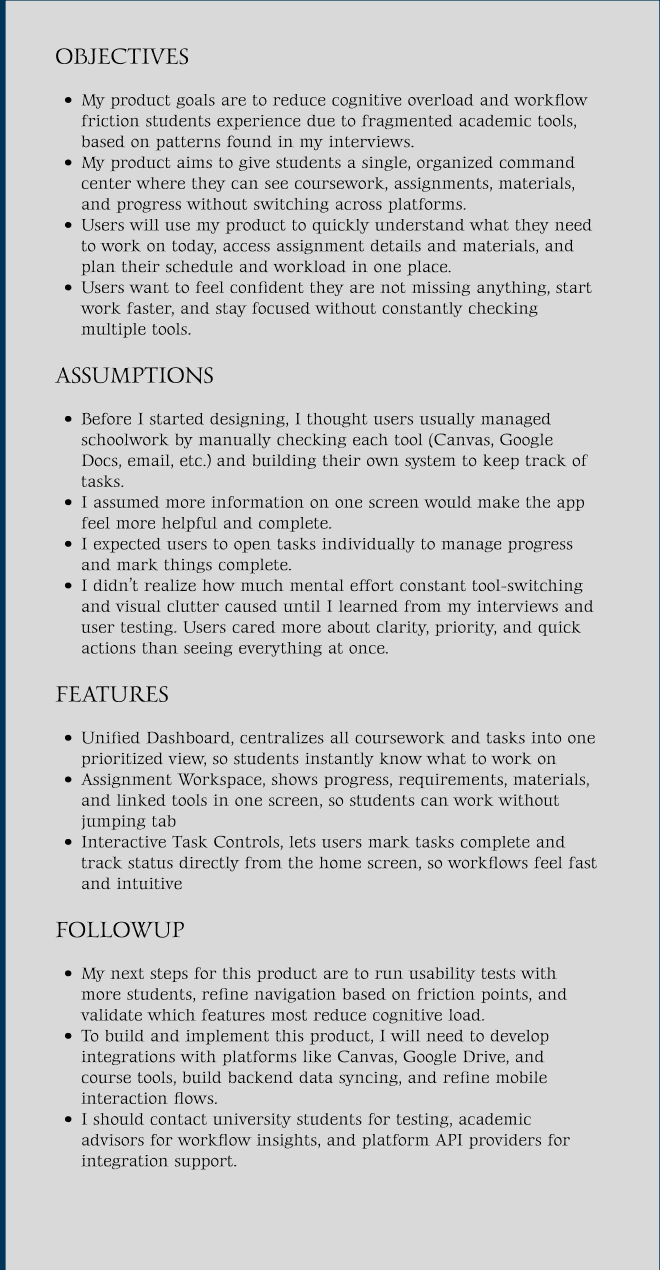
Product requirements document — problem framing and objectives
Initial assumption vs. what I learned
Started thinking: students need more information in one place — a comprehensive dashboard that shows everything.
Learned:the problem wasn't access to information — it was the inability to extract priority from noise. More information made it worse. Clarity beat comprehensiveness at every decision point.
Action
Moved from low-fidelity wireframes through a full Figma prototype, with each design decision driven by the same question: does this help a student figure out what to do next, or does it just add to the screen?
Establishing the information hierarchy
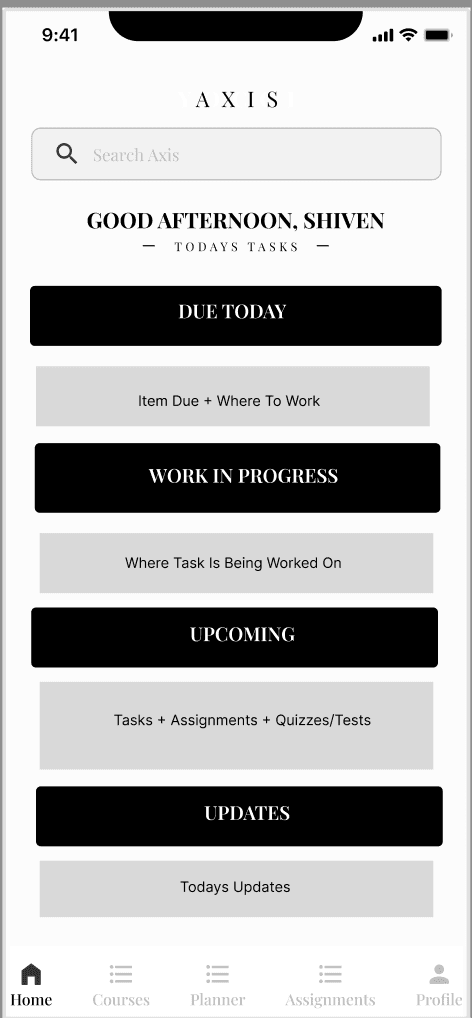
Low-fidelity home screen — testing two layout concepts
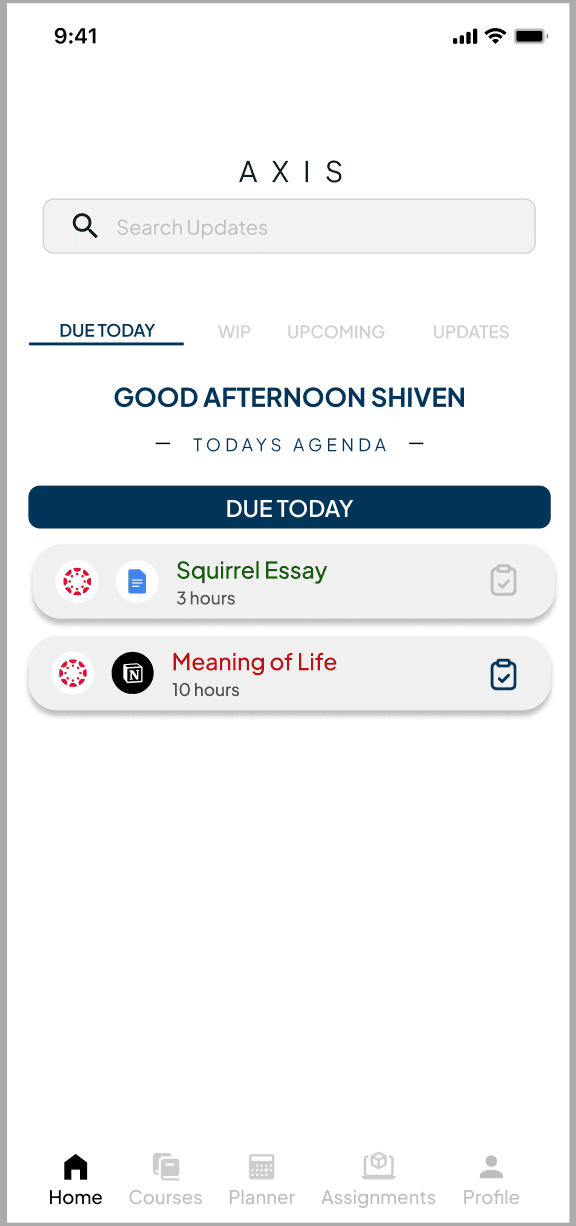
The first question was what goes on the home screen. Tested two approaches: a full course overview versus a today-focused priority view. The priority view won — students didn't need to see all their courses at once, they needed to know what was due today and what was coming up. Simplified the hierarchy significantly from the initial concept.
Designing the assignments workspace
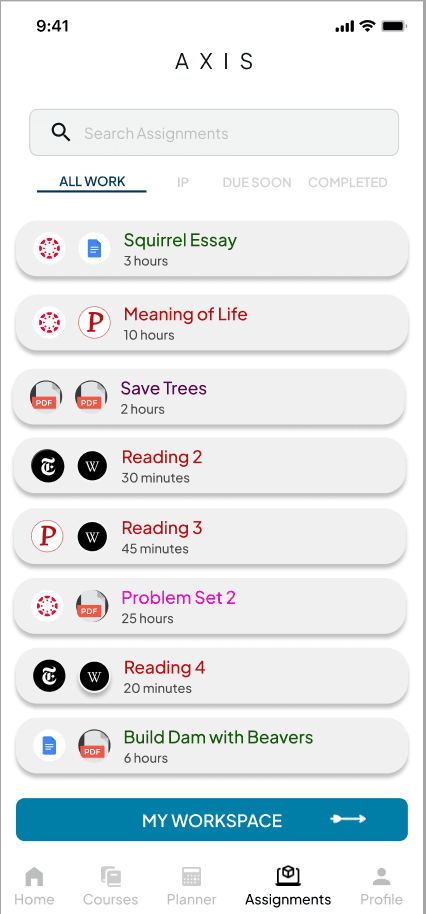
Assignments workspace — due dates, status, and linked materials
The assignment workspace needed to surface due dates, completion status, and linked course materials in a single view. Early iterations grouped assignments by course — logical, but it forced students to scan across sections to find what was actually urgent. The final version grouped by urgency (due today, due this week, upcoming), with course as secondary context. Students scan for time, not topic.
Simplifying the profile — before and after
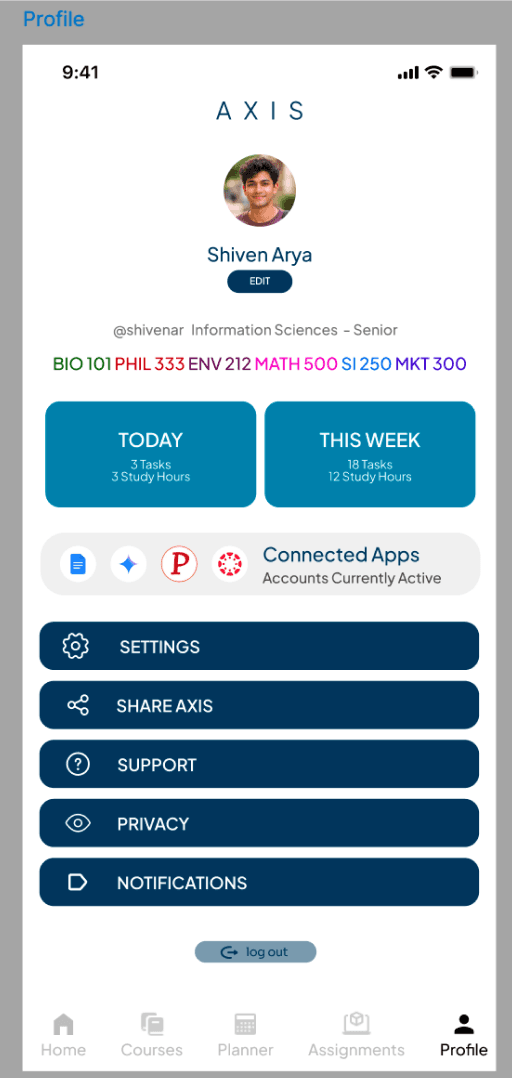
Before — dense, hard to scan
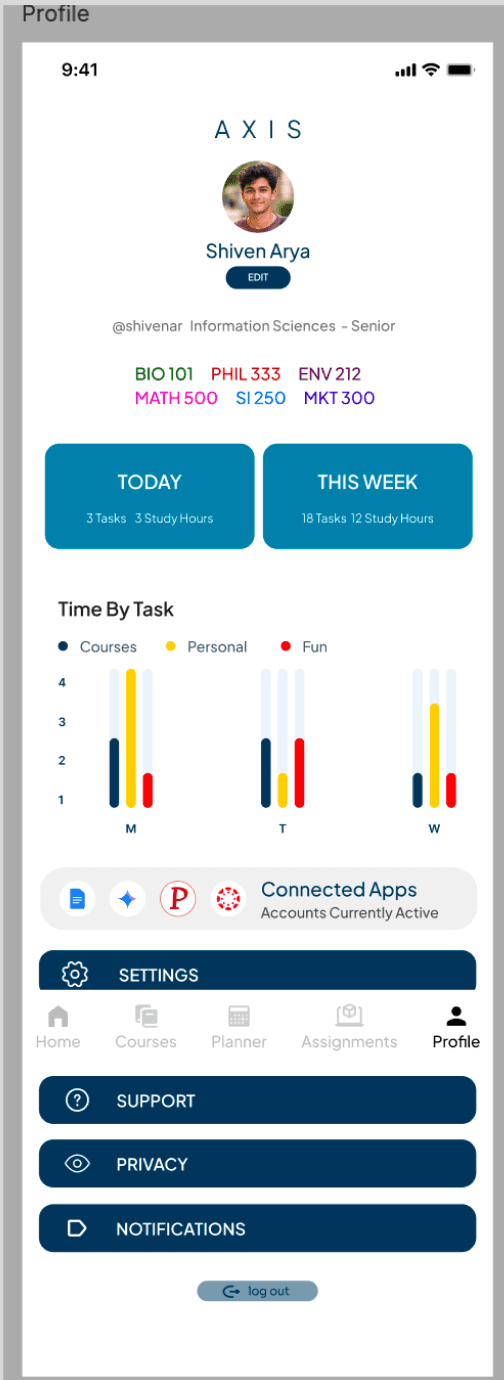
After — streamlined, actionable
The profile page went through the most significant revision. The original version packed in everything — courses, stats, recent activity, settings links. It was technically complete but practically useless. I cut everything that wasn't actionable. The revised version surfaced active courses, quick access to materials, and the two most relevant account actions. Students rarely need the rest.
Final wireframes — complete interaction system
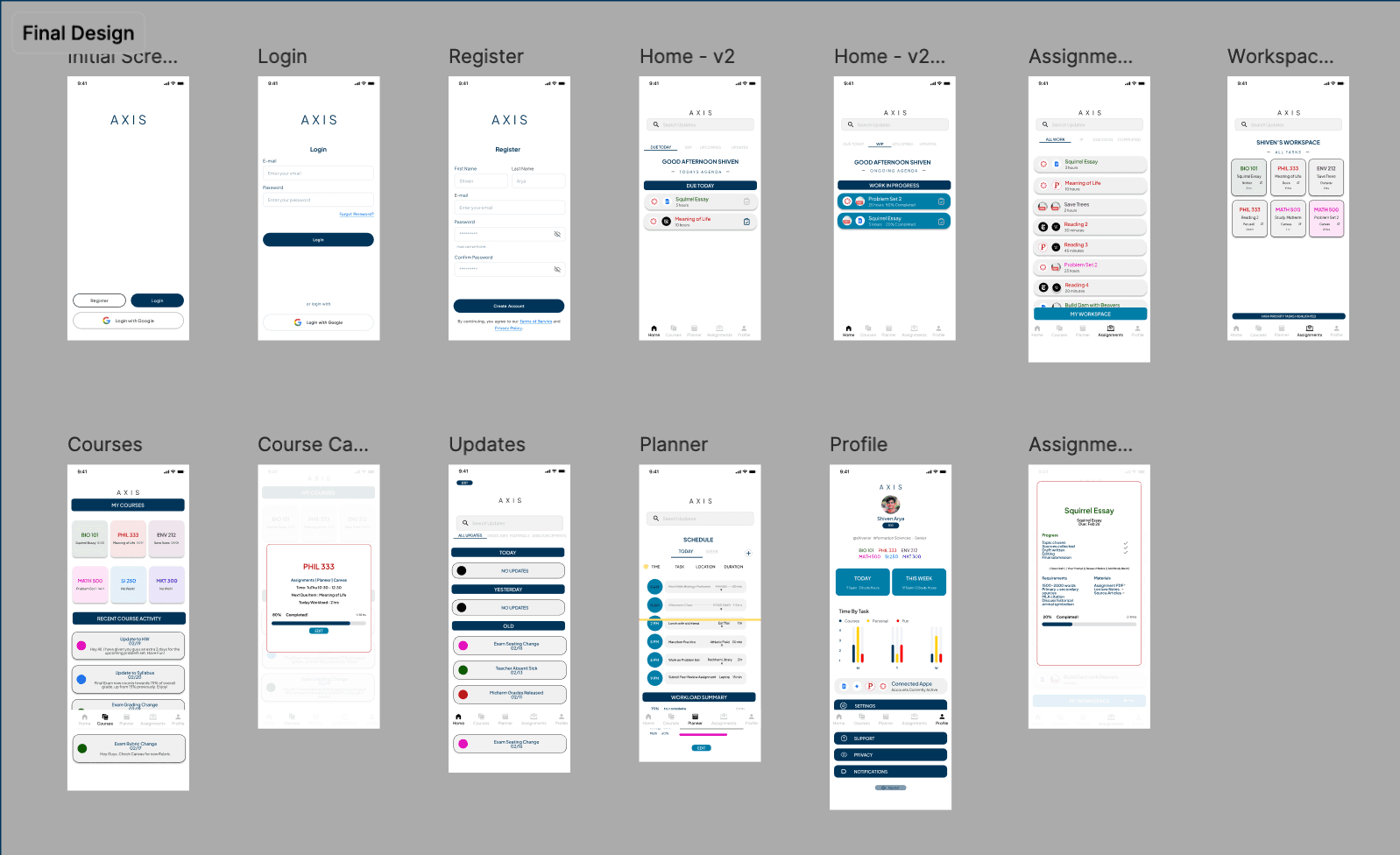
Final wireframe set — full Figma prototype
The final wireframes established a consistent interaction language across all screens. Navigation was reduced to four primary areas: today, assignments, materials, and profile. Every quick action was accessible within two taps. The design deliberately avoided feature additions that felt useful in isolation but added to the cognitive load in context.
Result
Delivered a complete, clickable Figma prototype covering the full student experience within Axis.
Unified dashboard
Today-first view surfacing what's due now, not a full course inventory
Assignment workspace
Urgency-grouped view with status tracking and linked course materials
Task controls
Quick actions for completing, deferring, and prioritizing tasks
Priority view
Consolidated view of what matters across all courses
Linked materials
Direct access to relevant course content from within the assignment flow
Streamlined profile
Cut to what's actionable — active courses, materials access, essential settings
Key finding
Reducing information density improved perceived clarity more than adding features did. Every time I cut something from the interface, the result felt more useful — not less complete. That ran counter to my initial instinct, and it's the insight that shaped most of the design decisions.
Reflection
“Clarity beats completeness. The most important design decision in Axis wasn't what to add — it was what to remove. Each time I cut an element that felt useful in isolation, the interface got better in practice.”
The next version of this would be validated with real students — usability testing against actual academic workflows, not assumptions about them. And integration with Canvas, Google Drive, and calendar APIs would make it a real product rather than a design artifact.
Explore the full design
View Figma Prototype